Portfolio
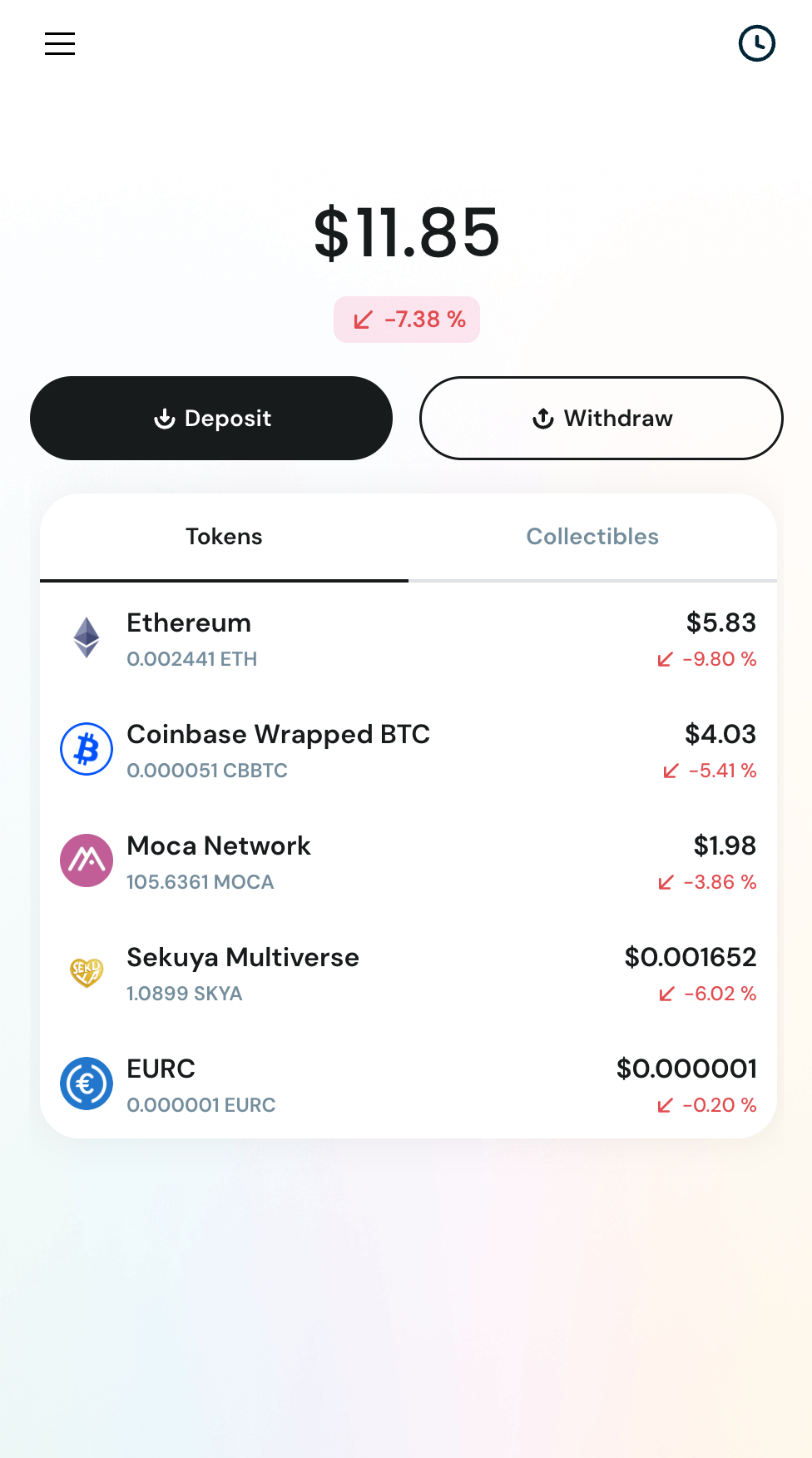
When you access AIR Wallet, the first screen you will see is your Portfolio. On this page, you can view your total balance, change in portfolio value, list of digital assets you own, and quick actions such as sending and receiving assets.
📊 Total Balance
- The large number at the top (e.g. $11.85) shows your total wallet value.
- The % below it (e.g. 7.38%) shows 24-hour price change, not profit or loss.
⬇️ Deposit
Use this to add funds into your wallet.
- Tap Deposit
- Either purchase digital assets using your preferred payment method (such as a debit card), or copy your wallet address or share your QR code to receive assets from another person
⬆️ Withdraw
Use this to send funds out of your wallet.
- Tap Withdraw
- Enter recipient wallet address
- Enter amount
- Confirm transaction