Onramp
"On-ramping" means converting your local currency (like KRW, SGD, or INR) into digital assets for use in Web3. It is similar to topping up a prepaid card, except you are loading digital assets into your AIR Wallet.
How to purchase digital assets in AIR Wallet?
🛠️ What You'll Need
- An AIR Wallet account (set up and secure).
- Local currency funding method: bank transfer, credit card or debit card etc.
▶️ Step-by-Step: Purchasing Digital Assets
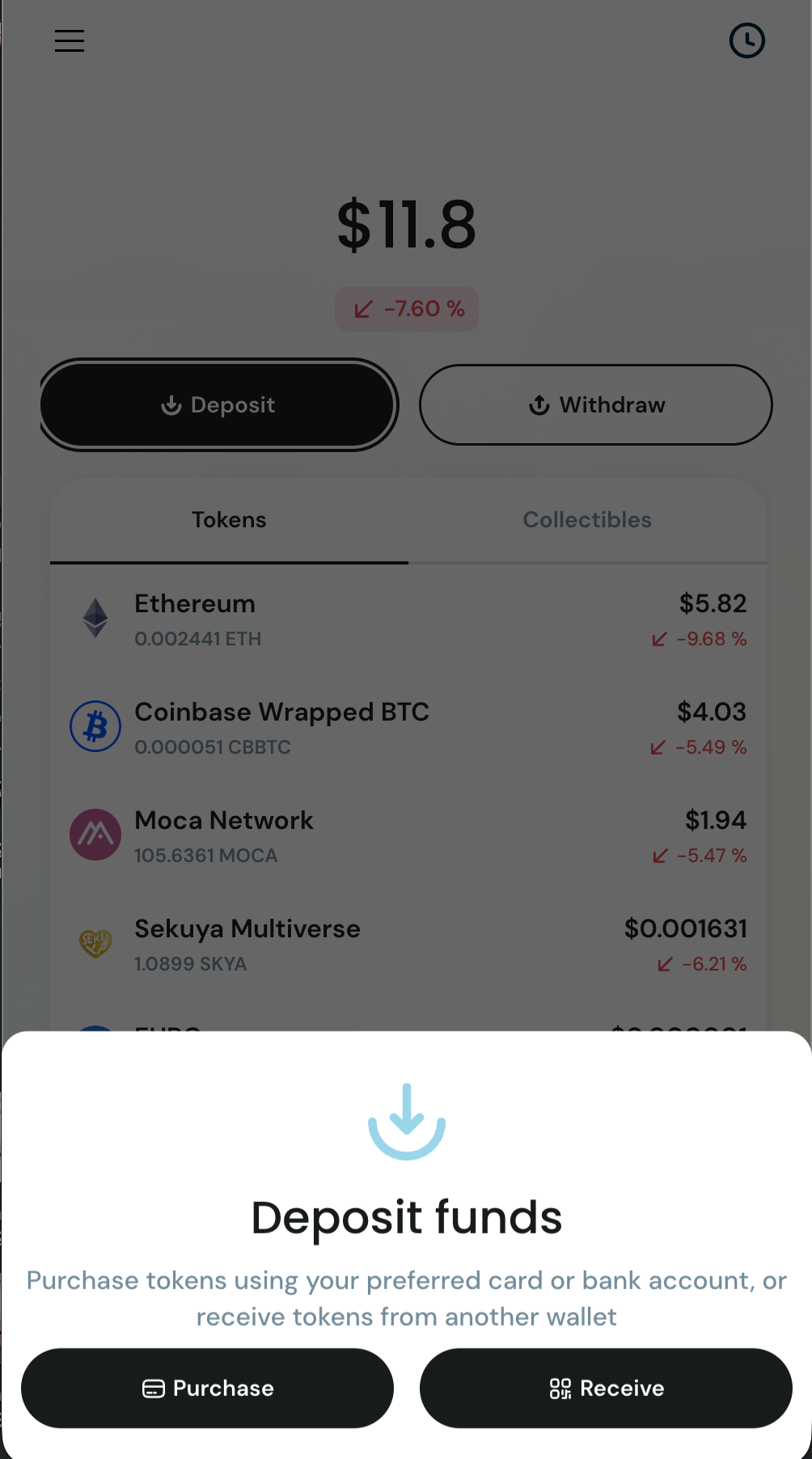
- Open AIR Wallet and go to your Portfolio.
- Tap 'Deposit' and then 'Purchase'.
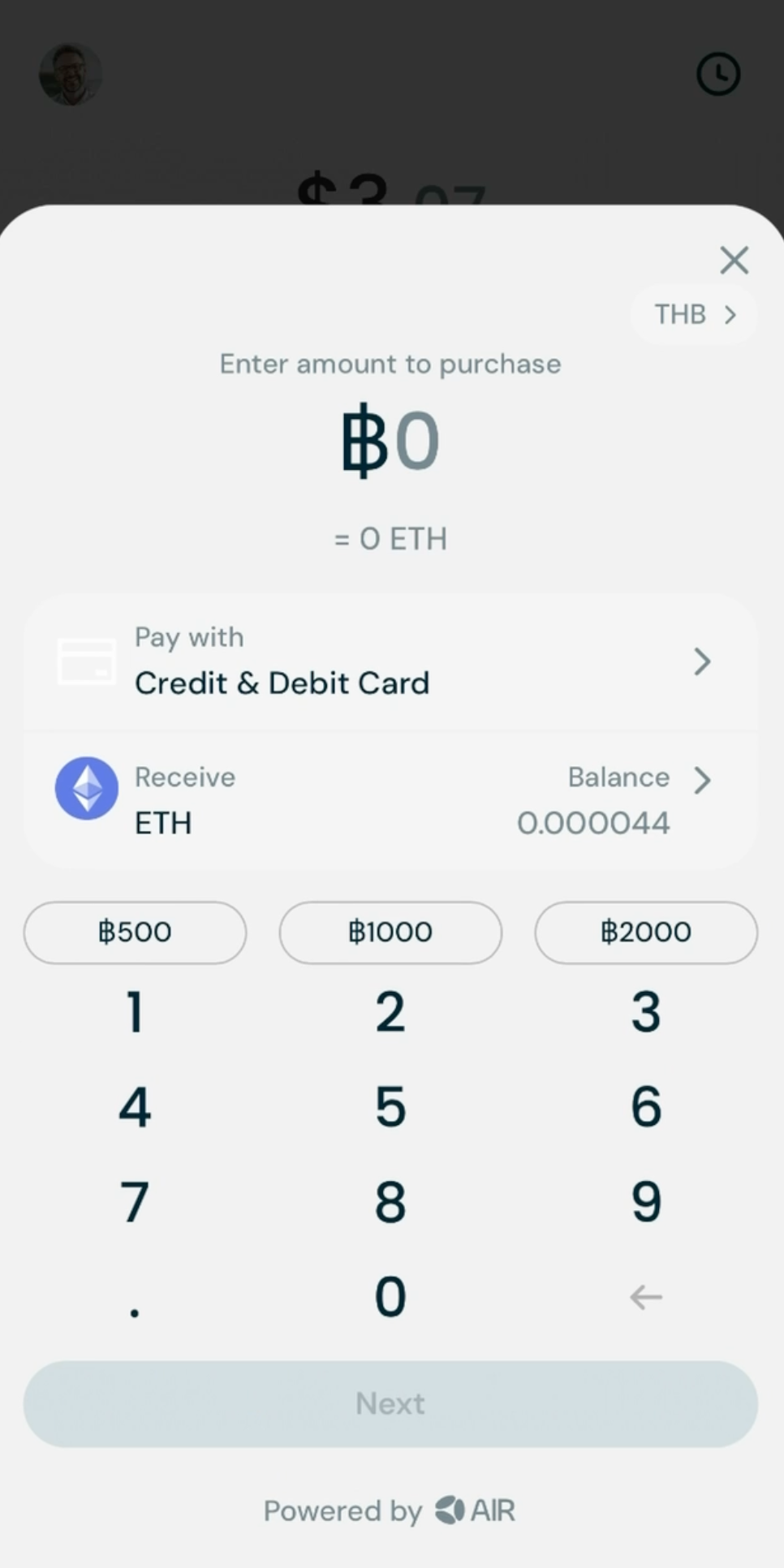
- Select the currency you want to purchase with (e.g. KRW, USD, INR)
- Enter the amount you want to spend in your local currency (e.g. KRW 100)
- Select the digital asset you want to purchase under 'Receive' (e.g. ETH, USDC)
- Select the mode of payment under 'Pay with' (e.g. Debit / Credit Card)
- AIR Wallet will display real-time offers from trusted on-ramp providers and automatically select the best offer for you
- Tap 'Next' to continue
- You will be redirected to the on-ramp provider's platform to complete the purchase.
- 💡You may be requested to verify your identity during the purchase.
- ⚠️ Please note that service fees may apply during the purchase process.
- Once you complete the purchase, your assets will be credited directly to your AIR Wallet. It may take up to 15 minutes for the crypto to be credited in to your wallet
- You can view your updated balance in the wallet.